
Promptchan AI NSFW video: image animation, Extend, and pricing
Promptchan AI video generation lets you start with a written scene or animate an image. Motion controls, sound options, and Extend give you several ways to develop a clip, especially if you already use Promptchan to create characters and still images.
For NSFW AI video, the plan requirement is the first thing to understand: Pro includes the full video tools, and generation spends Gems. The free image allowance and Pro's casual image mode are separate offers. Here is how the video workflow, pricing, and related features fit together.

Promptchan AI video features at a glance
Promptchan offers text-to-video and image-to-video. The first builds a scene from a description. The second uses an image as the opening frame, giving you an established appearance and composition before animation begins.
You can let the platform choose motion automatically or describe the movement yourself. Video controls also include framing, quality, and sound. Supported models provide dialogue options, while Extend gives you a way to carry a finished clip forward.
| Tool | Starting point | What you control |
|---|---|---|
| Text-to-video | A written scene description | The scene and available video settings |
| Image-to-video / Animate | An existing image | Automatic motion or a written movement instruction |
| Sound and dialogue | A supported video model | Available sound settings and dialogue options |
| Extend | An existing clip | Continue the motion or describe the next part of the scene |
| Image preparation | A still image before animation | Tweak revisions and reusable character settings |
On mobile, swipe inside the tables to see every column.
Text-to-video: describe the scene directly
Text-to-video is the direct route when you have an idea but no starting image. Describe the character, setting, and movement you want, then choose the available video settings. The generator displays the Gem cost for that selection.
A useful prompt separates appearance from movement. Establish who is in the scene and where they are, then describe the action or camera movement. That gives you a clearer setup to revise if you want another version.
Keep the first attempt focused on the part of the scene that matters most. You can adjust the framing or movement in a later generation rather than changing every setting together. This is also a practical way to manage a Gem balance across several attempts.
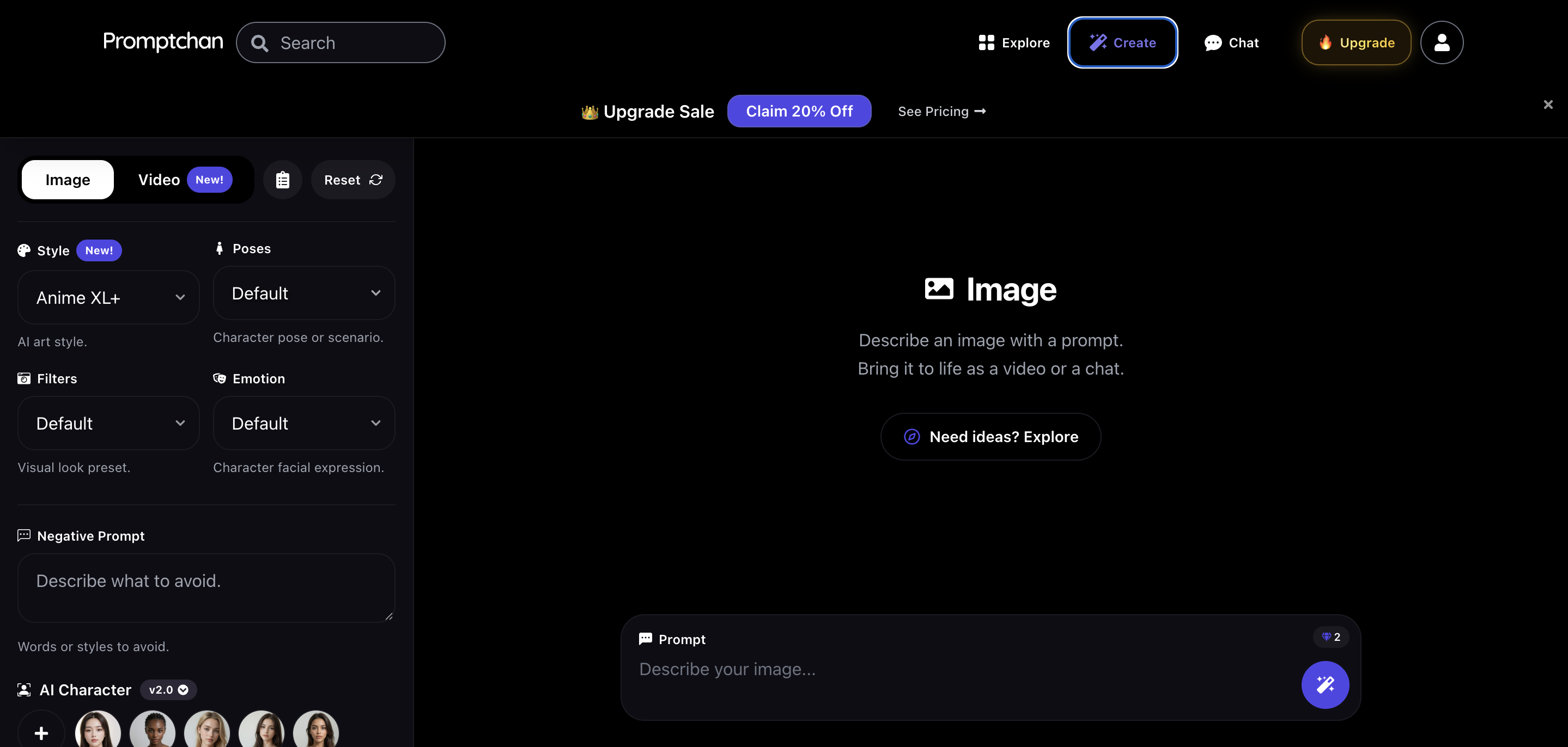
Image-to-video: animate a character or finished picture
Open an image and choose Animate to use it as the opening frame. You can select automatic motion or write an instruction describing the movement. This route is useful when you already like the character's appearance and want to carry that visual idea into a clip.
Promptchan's image tools give you a preparation stage. Tweak lets you revise an outfit, background, or lighting before animation. Clone loads a creation's prompt and settings when you want a fresh image based on the same setup.
Pro's AI Character feature helps you reuse a likeness across generated images. That can support a recurring visual project before you choose which picture to animate. It is separate from building a personality for companion chat.
Realistic and anime image styles provide different starting looks. Choose the image you want to animate, then use the available video model and motion settings for that project. There is no need to treat one style as the default for every reader.
For the still-image tools, read our Promptchan AI image generator review. It covers Tweak, Clone, image-character controls, and the differences between the image plans.
Extend, sound, and continuing a clip
Extend continues an existing video. You can carry on the motion or describe the next part of the scene. It provides a way to develop a clip after the first generation instead of restarting with an unrelated setup.
Extensions use Gems too. Plan for the first clip and any continuation you want to make, then compare the displayed cost with your remaining balance. The subscription gives you access to the tools, while Gems fund the generation actions.
Video settings include sound, with dialogue options on supported models. Check the selected model's controls before building a scene around spoken lines. Companion voice messages and live calls are separate features, even though they share the same platform.
The selected video model determines the available length, quality, and other settings. Use those choices and their displayed Gem price to plan a clip. A single fixed clip length or resolution would not describe every video setup.
Promptchan video pricing: Pro and the Gem balance
Pro is the relevant subscription for full video generation and Extend. Plus and Premium are image and companion options with smaller Gem allowances. Buying an entry subscription is a different choice from subscribing for the complete video tools.
The table shows US-dollar prices. The discounted monthly offer applies to the first month only. Annual subscriptions charge the full year upfront, with Gems delivered monthly.
| Plan | First month | Standard monthly | Annual upfront | Monthly Gems | Full video tools |
|---|---|---|---|---|---|
| Plus | $11.99 | $14.99 | $119.88 | 100 | No |
| Premium | $18.99 | $23.99 | $191.88 | 400 | No |
| Pro | $26.99 | $33.99 | $263.88 | 800 | Yes, including Extend |
Annual Pro works out to $21.99 a month, paid as $263.88 upfront. It also includes the advanced image-character feature, 4K image options, the full pose library, and live voice calls. Those are useful additions if you want more than a standalone video generator.
The 800 monthly Gems are a processing balance, rather than a fixed number of videos. The selected model and video settings determine the cost of each clip. Extensions and other premium actions can spend the same balance, so there is no single clip count that fits every account.
Unused Gems roll over and remain available after the subscription ends. Paid plans include a discount on additional Gem purchases. Cancellation leaves subscription access active until the end of the paid period; Pro-only features still need the relevant active plan afterward.
Can you generate Promptchan NSFW videos for free?
Promptchan has free access with daily Gems, standard-quality images, limited chat, and one custom chat character. That free allowance is useful for exploring the platform, but it does not establish a fixed free-video offer.
Full video generation and Extend belong to Pro. If video is your reason for joining, budget for that plan and the Gem cost shown for your selected settings. Free images or starter chat messages are separate from access to the full video workspace.
Pro's unlimited casual generation is also an image feature. It supports slower SD, XL, and XL+ generation at Standard quality, one image at a time. XL 2 is excluded, and available server capacity and cooldowns affect access. Video generation continues to use Gems.
Save finished videos and set creation visibility
Unpublished videos remain available for 24 hours. Download finished clips you want to keep in your own collection, especially before leaving a project for another day.
Paid plans include private generation. Enable the visibility setting for creations you want kept out of the public gallery, and choose separately which results you publish. A public Explore feed and private creation settings serve different purposes.
You can use Promptchan in a browser on desktop or mobile. Its image, video, and companion tools share the same account, which suits someone who wants to move between creating visuals and interacting with characters.
Promptchan video alternatives: AIFapper and Seduced AI
AIFapper is the alternative to compare if you prefer generator credit packs over a recurring generator subscription. Packs start at $9.99, with card payments available. Its GoonVid and GoonVid Flash options provide different video settings and credit costs, while companion chat uses separate passes.
Seduced AI focuses on visual creation with detailed model and extension controls. Saved synthetic characters and Edit V2 support image projects, with regular video access on Platinum and Diamond. Those plans cost $60 and $150 a month before VAT. Its $10 two-day trial renews to Pro unless cancelled; it is a paid trial.
Promptchan makes sense if you want image creation, Tweak revisions, animation, and Extend together. AIFapper offers a credit-pack payment model, while Seduced offers a visual-focused workflow. Compare the tools and balance you will actually use rather than assuming the cheapest entry price includes video.
Explore AIFapper or explore Seduced AI. Our Promptchan AI vs Seduced AI comparison covers their broader differences.
Who should choose Promptchan for video?
Choose Promptchan if you want to develop a character image and animate it without moving to another platform. Tweak helps prepare the still image, image-to-video adds motion, and Extend continues the clip. Text-to-video gives you a direct starting route too.
Pro is most useful when those video tools belong in your workflow alongside its advanced image features. If you only want to explore still images, start with the free allowance or compare the lower plans before paying for the full bundle.
Explore Promptchan AI video or read the full Promptchan listing for companion chat, voice, and image features.
Common questions about Promptchan AI video
Does Promptchan support text-to-video and image-to-video?
Yes. You can start with a written scene or open an image and choose Animate. Image animation supports automatic motion and written movement instructions.
Which plan includes Promptchan video generation?
Pro includes full-length video generation and Extend. Each generation or extension uses Gems.
How much does Promptchan Pro cost?
Pro costs $26.99 for the introductory first month, then $33.99 on standard monthly billing. The annual option is $263.88 upfront, equivalent to $21.99 a month, with 800 Gems delivered monthly.
How many videos do 800 Gems cover?
That depends on the selected model and settings. Check the displayed cost for each generation and extension. The balance can also fund other premium actions.
Is Promptchan casual generation unlimited video?
No. Casual generation applies to supported still-image styles at Standard quality, with capacity limits and cooldowns. Video uses Gems.
Can Promptchan continue an existing video?
Yes. Extend continues a clip, with controls for carrying on the motion or describing what happens next. Extensions use Gems.
Can Promptchan videos include sound?
Video settings include sound and dialogue options on supported models. The available controls depend on your selected model.
How long can I keep an unpublished video?
Unpublished videos remain available for 24 hours. Download the clips you want to keep.
Can I start with an anime image?
Promptchan offers anime image styles alongside realistic and illustrated looks. Use the image you want as the starting frame, then choose the available animation settings.
Compare more NSFW AI video generators or browse our comparison directory for platform-by-platform guides.